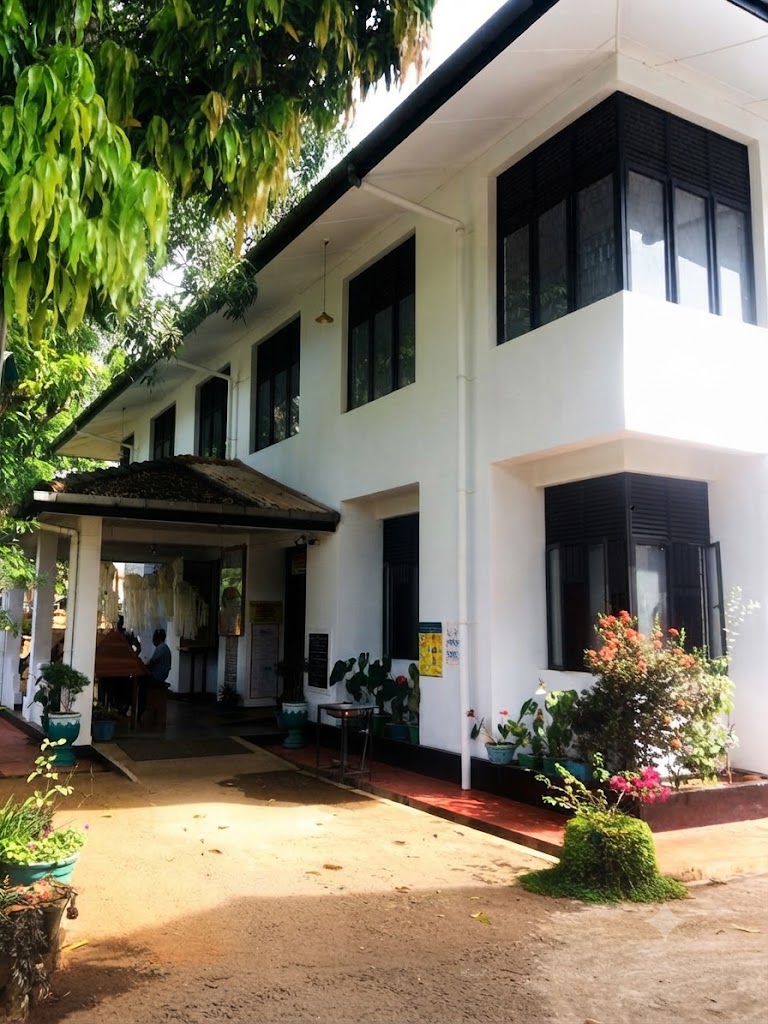
Vision & Mission
Our Core Directives
Our Vision
Wellasse excels in fulfilling community aspirations
Our Mission
Contribute and commit to the economic, social and cultural development of the people living in the area with people’s participation by working within the local government law and using all the resources efficiently and effectively
Citizen First
Prioritizing accessibility, efficiency, and absolute operational transparency.
Overview
About Our Institute
Welcome to our Department
Geographic Area Profile
Town Profile & Jurisdiction
Town profile details can be updated from Admin Home Attributes.
Administrative Info
Council Type
Pradeshiya Sabha
District
Monaragala
Province
Uva Province
Official Languages
SInhala , ENglish , Tamil
Institute History
Our Heritage
inhala unicode real-time conversion
This online application converts traditional Singlish input into standard Sinhala Unicode as you type. You may also save your Sinhala Unicode writings within application for future reference.
Sinhala unicode to Sinhala font real-time conversion for Word® and Photoshop®
This online application converts Sinhala Unicode text to Sinhala font structure too. What you input as Singlish will be converted to both Sinhala Unicode as well as to Sinhala font structure. If you want to use the converted Sinhala text in other applications such as Microsoft Word or Adobe Photoshop then you should copy the text in after turning the Sinhala Font switch on and then use it with a regular Sinhala font. The converted text is compatible with all DL type Sinhala fonts and many other Sinhala fonts available out there as well.
Convert Sinhala unicode to Sinhala fonts
Just paste the Sinhala unicode text to "Type in Singlish" text box and get the converted text in Sinhala fonts when you swith Unicode button to Sinhala Font. Font typing layouts such as default Windows and Isi (Isiwara) are supported. This tool can be used as a Isi font converter as well.
Quick help for beginners
To type Sinhala using this app, you should not be an expert of any (Windows, Wijesekara or any English to Sinhala) Sinhala keyboard layout type. Only thing you should know is how to write the same Sinhala word in Singlish (the way you type Sinhala in SMS). For example typing 'mal kohaa' will produce 'මල් කොහා' as the output from this app. Examples for various formations of Sinhala letters are shown in Key usage hints.
Register an account, save your work, export to Word or PDF
Once you register, you can save your typing work within this app so that you will never have to re-type anything for your life time. Save the words, phrases that you often use. The capacity allocated for each user is not limited.
This online application converts traditional Singlish input into standard Sinhala Unicode as you type. You may also save your Sinhala Unicode writings within application for future reference.
Sinhala unicode to Sinhala font real-time conversion for Word® and Photoshop®
This online application converts Sinhala Unicode text to Sinhala font structure too. What you input as Singlish will be converted to both Sinhala Unicode as well as to Sinhala font structure. If you want to use the converted Sinhala text in other applications such as Microsoft Word or Adobe Photoshop then you should copy the text in after turning the Sinhala Font switch on and then use it with a regular Sinhala font. The converted text is compatible with all DL type Sinhala fonts and many other Sinhala fonts available out there as well.
Convert Sinhala unicode to Sinhala fonts
Just paste the Sinhala unicode text to "Type in Singlish" text box and get the converted text in Sinhala fonts when you swith Unicode button to Sinhala Font. Font typing layouts such as default Windows and Isi (Isiwara) are supported. This tool can be used as a Isi font converter as well.
Quick help for beginners
To type Sinhala using this app, you should not be an expert of any (Windows, Wijesekara or any English to Sinhala) Sinhala keyboard layout type. Only thing you should know is how to write the same Sinhala word in Singlish (the way you type Sinhala in SMS). For example typing 'mal kohaa' will produce 'මල් කොහා' as the output from this app. Examples for various formations of Sinhala letters are shown in Key usage hints.
Register an account, save your work, export to Word or PDF
Once you register, you can save your typing work within this app so that you will never have to re-type anything for your life time. Save the words, phrases that you often use. The capacity allocated for each user is not limited.